Free · Open source · macOS

Sync Vivaldi profiles.
Locally. No cloud.

Keep your themes, shortcuts, tab layout, extensions, and more in sync across multiple Vivaldi profiles. Everything stays on your Mac.

Download for macOS View on GitHub

v0.1.2 · Requires macOS Ventura or later · Apple Silicon

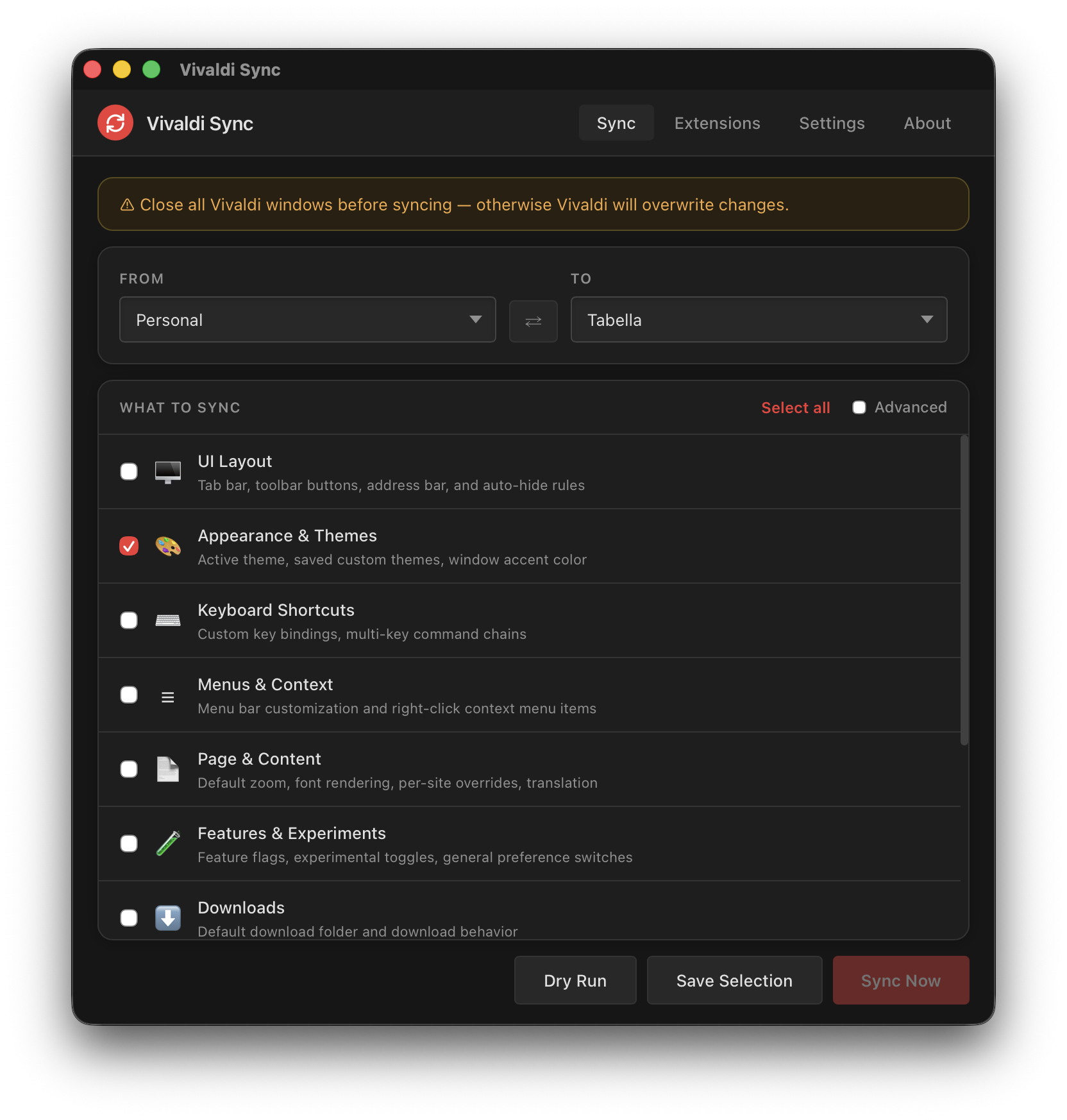
Vivaldi Sync — Sync tab
Click to enlarge

Sync settings between profiles

Pick a source and destination profile, choose what to copy — basic mode covers the most common settings, advanced mode lets you pick individual preference keys. Dry run first, then sync.

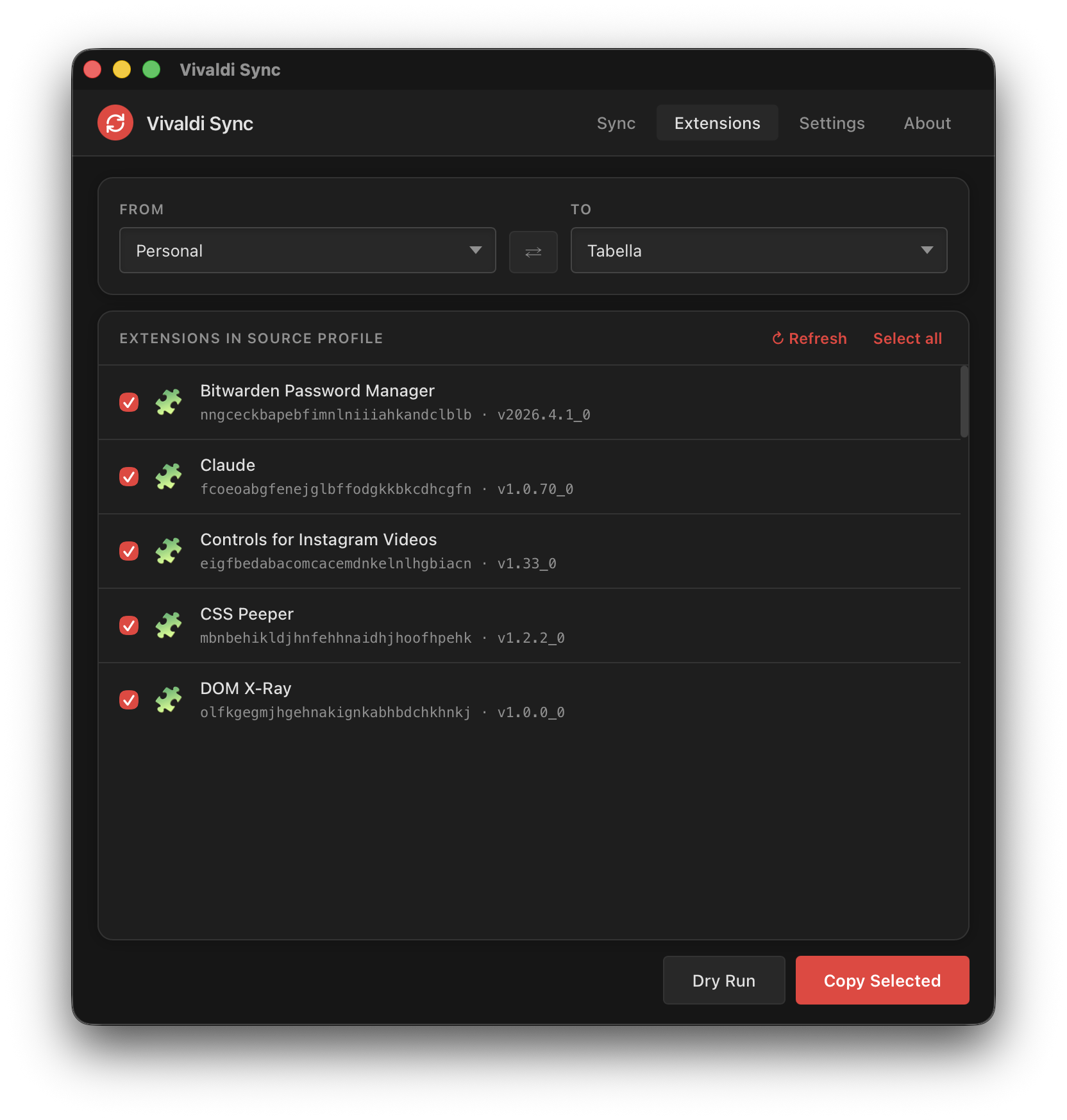
Extensions tab
Click to enlarge

Copy extensions between profiles

See every extension installed in your source profile, select the ones you want, and copy them over in one click. Useful when you set up a new profile and want to bring your tools with you.

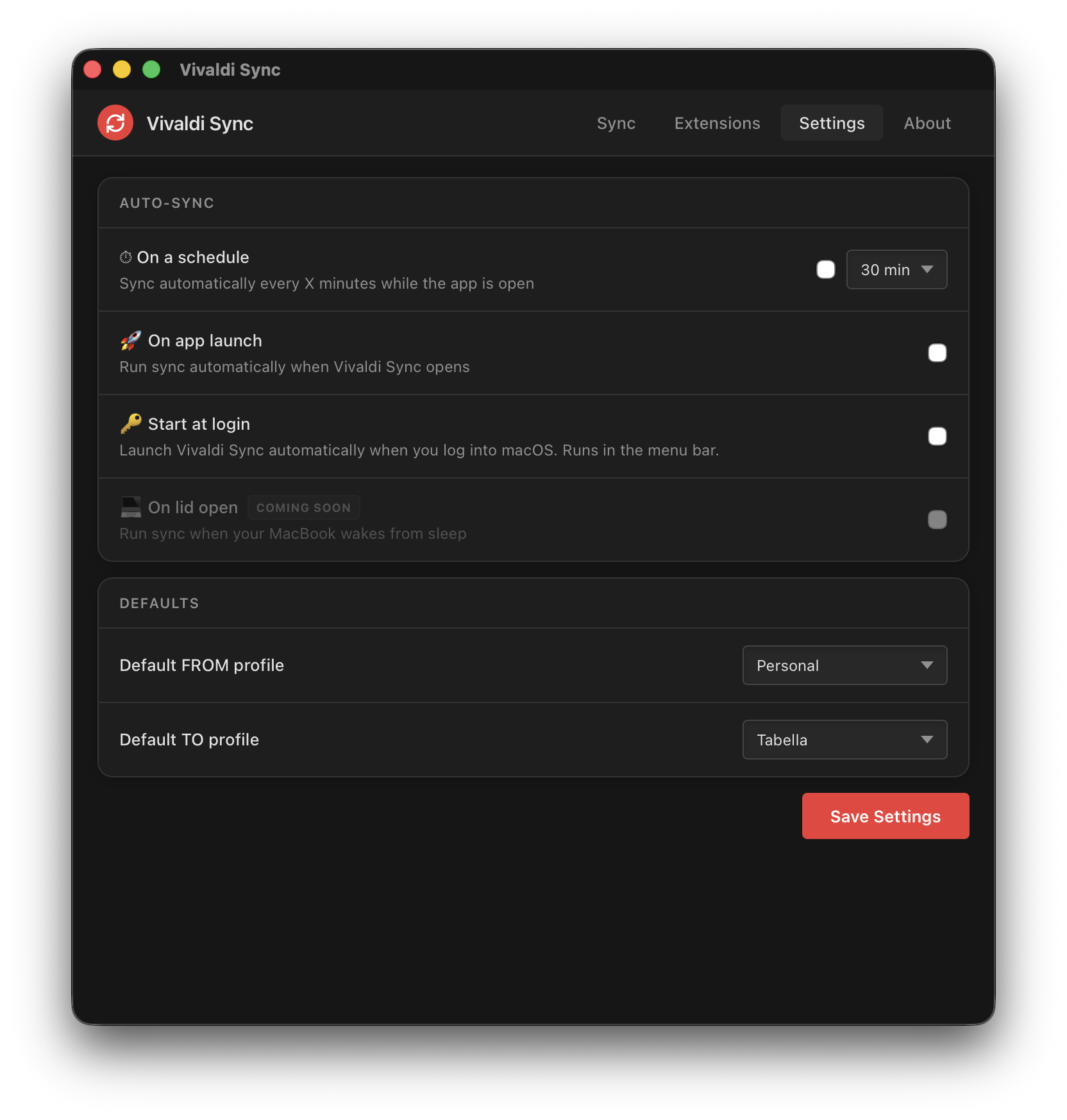
Settings tab
Click to enlarge

Auto-sync without thinking about it

Set a schedule and forget it. Vivaldi Sync can run every 5 minutes, every hour, or anything in between. It also supports syncing on app launch and starting at login as a menu bar app.

Earlier this year Microsoft quietly removed the app sidebar from Edge. That was the one feature keeping me there, so I switched to Vivaldi. It has the sidebar, it is Chromium-based, and it is surprisingly configurable.

The problem is I run two Vivaldi profiles. One for work, one for personal. Every time I tweaked a theme or changed a keyboard shortcut in one profile, the other would fall behind. Vivaldi does not have built-in cross-profile sync for settings, so I ended up copying stuff by hand.

I spent a "telling Claude to write Rust" weekend building a small Tauri app to handle this. It reads the Preferences JSON from one profile and copies specific keys to another. Nothing leaves your machine. No accounts. No cloud. Just file copies with a backup first.

I figured if I needed this, someone else probably does too. Especially with how many people are switching to Vivaldi right now.

Martin Smith

Simple as 1-2-3

1

Close Vivaldi

Vivaldi holds its config in memory. Close it first so changes stick.

2

Pick profiles

Select FROM and TO. Choose what to sync in basic or advanced mode.

3

Dry run, then sync

Preview what gets copied, then hit Sync Now. A backup is made first.

Everything you need to stay in sync

🖥️

UI Layout

Tab bar position, close button side, toolbar buttons, address bar, auto-hide rules.

🎨

Themes

Active theme, saved custom themes, window accent color. Your profile, your look.

⌨️

Keyboard Shortcuts

Custom key bindings, command chains, and action definitions.

🔍

Search Engine

Default search engine, suggestions, and search nicknames.

🧩

Extensions

Copy installed extensions between profiles with a single click.

📌

Panels and Workspaces

Web panels, workspaces, sidebar settings, startup page, new tab behavior.

🛡️

Safe by Design

Never touches bookmarks, history, or passwords. Creates a backup before every write.

⏱️

Auto-Sync

Run on a schedule (5 min to 2 hours), on launch, or from the menu bar at login.

🔬

Dry Run Mode

Preview exactly what will be copied before committing. No surprises.

Vivaldi Sync is free, forever.

If it saves you time, a coffee helps keep it going.

☕ Buy me a coffee